
External information organized around an event
Sports feeds become schedules, scoreboards, and matchup views that a visitor can navigate according to the game they care about.
OmniQuake Football / Sports application development
A football intelligence application that brings major-provider data into mobile scoreboards and analysis views, using 650 data points to generate score and player predictions.
The problem
A sports application has to support different kinds of attention. A visitor may want a quick score check, a closer look at a matchup, or an explanation of a forecast. Each task needs a useful starting point and a clear route to more detail.
Game information and predictive analysis also have different meanings. Scores, schedules, and statistics describe the sports information available to the application. Forecasts and outcome ranges are analytical outputs. The interface needed to make both useful without losing that distinction.
What we built
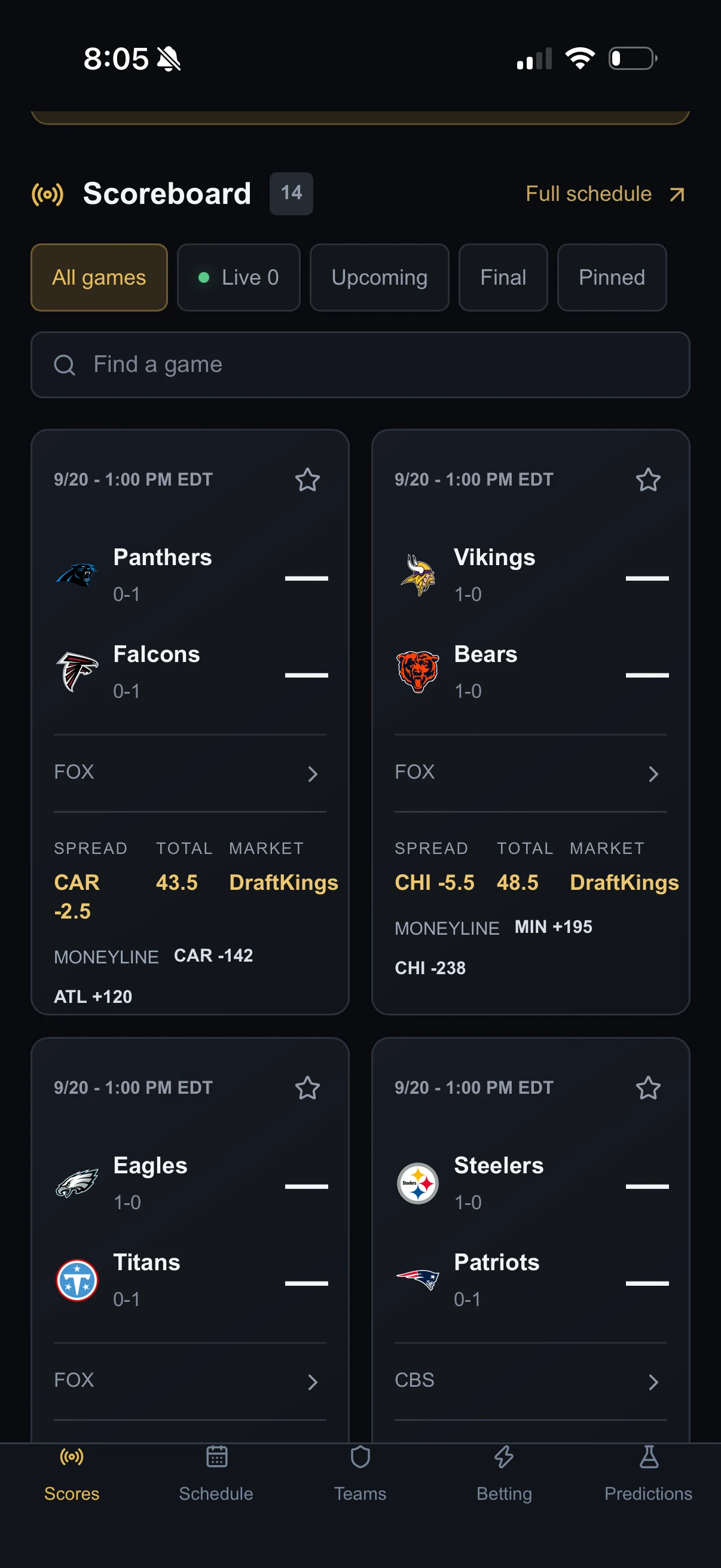
OmniQuake Football aggregates information from major sports data providers and presents schedules, scores, team information, and statistics in a branded application. The mobile scoreboard includes filters so visitors can narrow the view to the events they want to inspect.
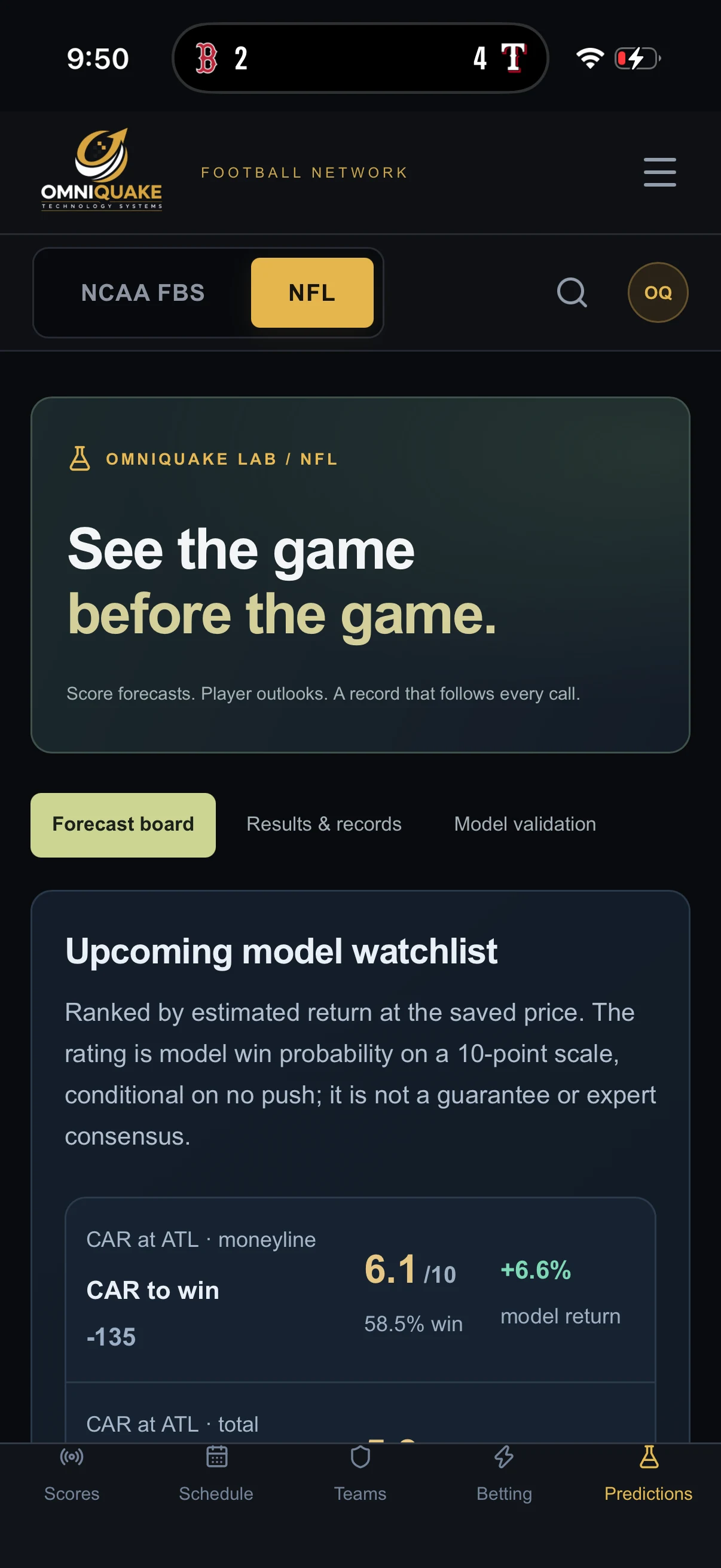
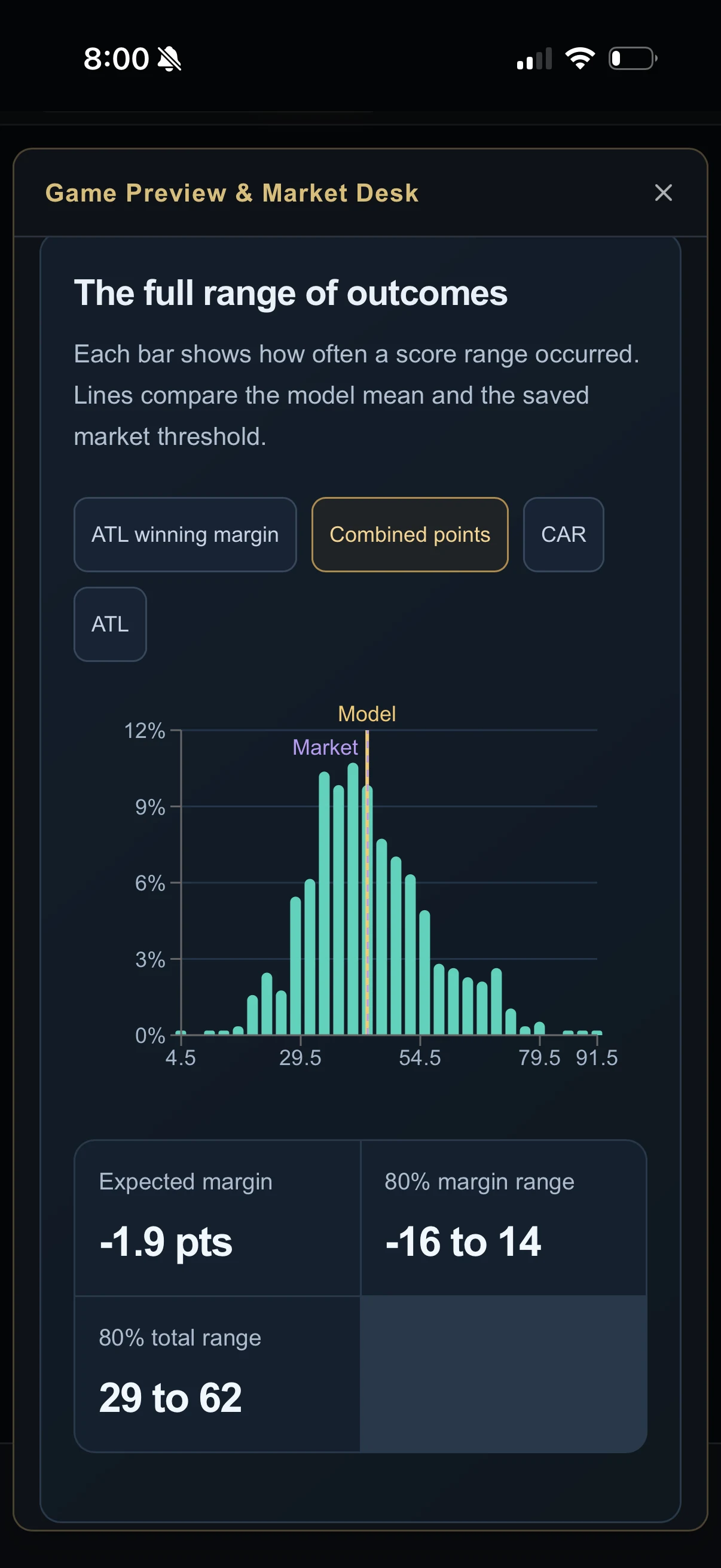
The forecast board presents score and player predictions generated using 650 data points. Outcome-distribution views show a range of model outputs alongside a saved comparison threshold, giving the user more to inspect than a single forecast value.
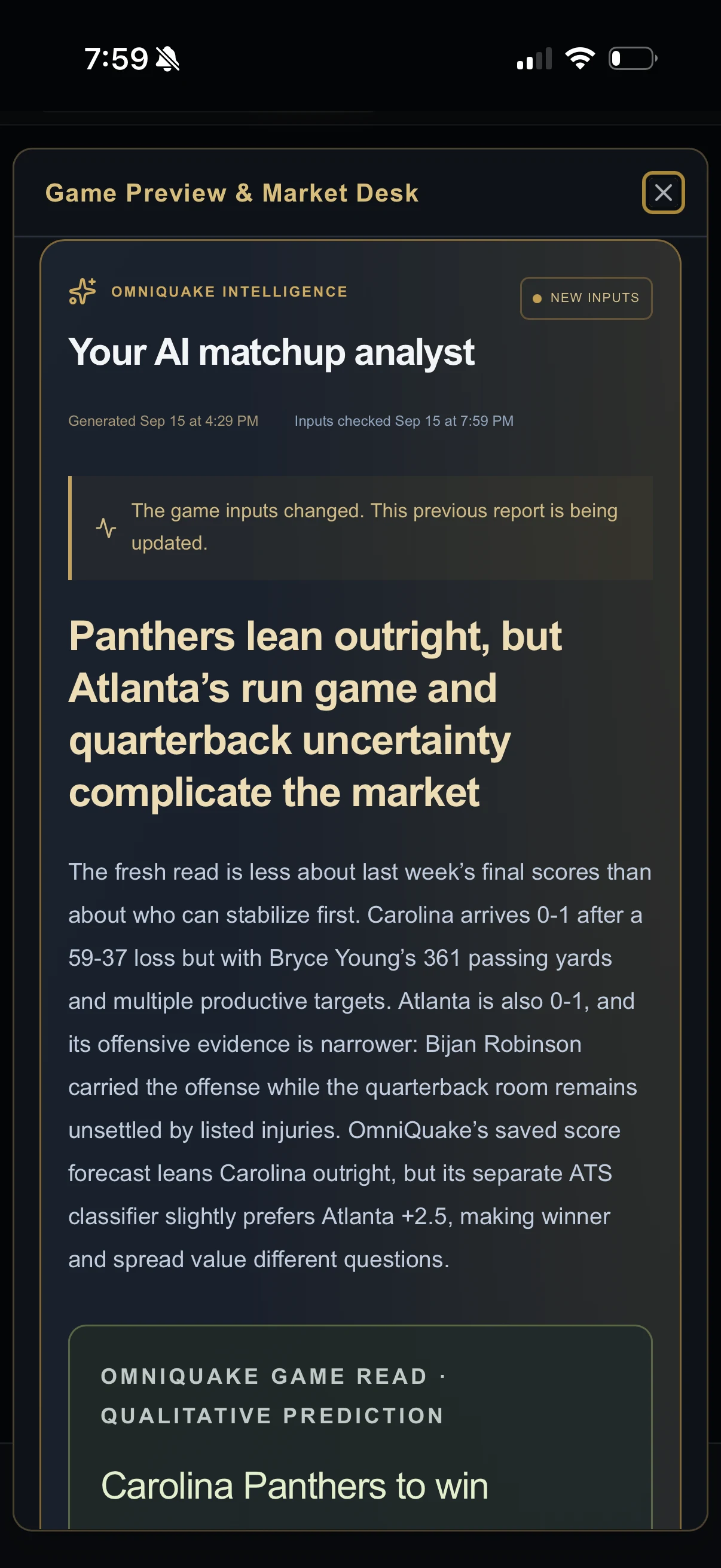
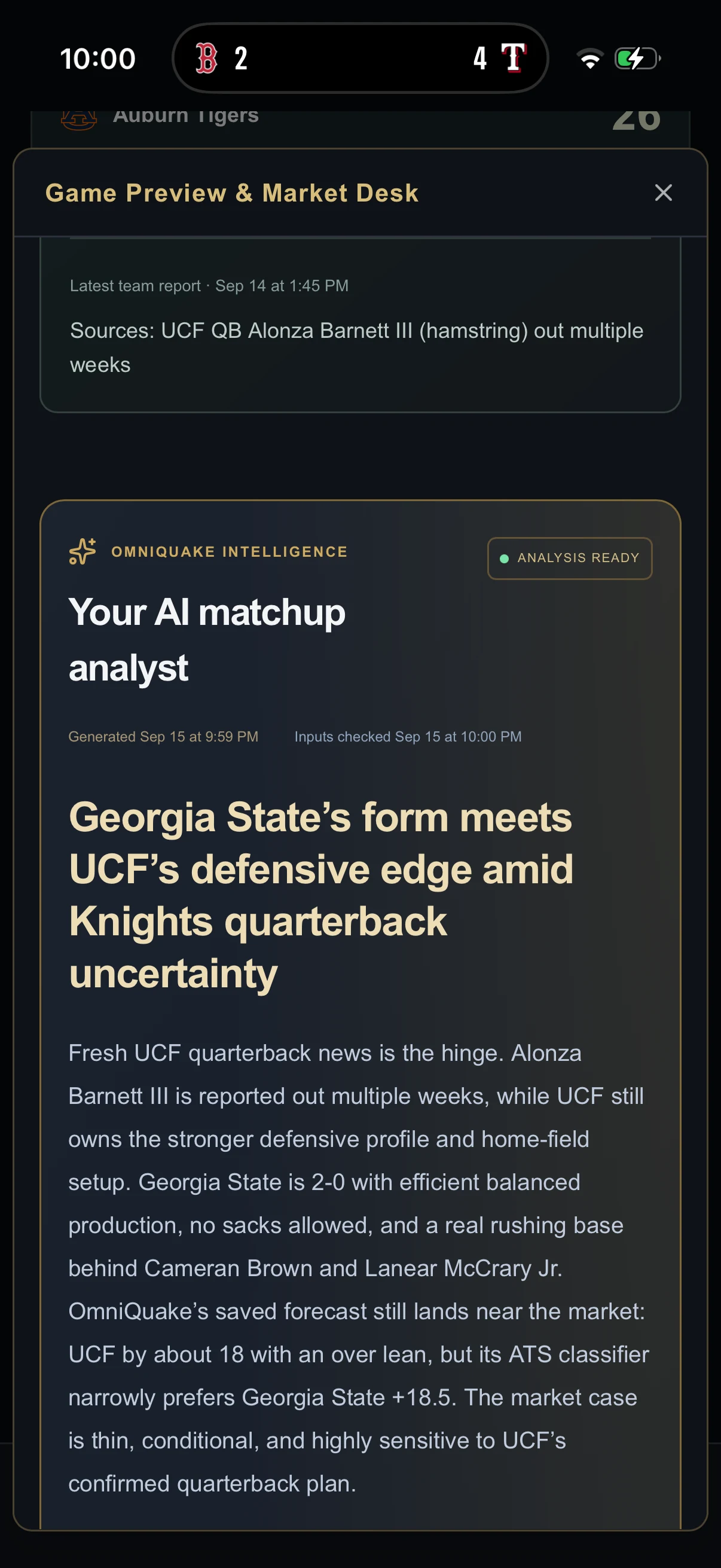
AI matchup explanations add written context and show generation and input-check timestamps. Forecasting, performance-tracking, and model-validation views give visitors additional ways to examine the application's analysis. These are product capabilities; this case study does not establish the forecasts' accuracy.
The working difference
The application supports a path from checking an event to examining its statistics and forecasts. Visitors can explore the sports information, analytical outputs, and written matchup context within the same product.
Inside the software
A closer look at the capabilities connected within the application.
Use the scoreboard, schedules, and filters to identify a game or matchup.
Review the available scores, team details, and statistics supplied through connected providers.
Explore score and player predictions and the distribution of model outcomes.
Open matchup explanations with generation and input-check timestamps, or inspect performance-tracking views.
What this project demonstrates
Sports feeds become schedules, scoreboards, and matchup views that a visitor can navigate according to the game they care about.
Predictions, outcome ranges, and written matchup explanations present different views of the application's analysis.
Generation and input-check timestamps accompany matchup explanations, helping users identify the timing of the report they are reading.
Apply the idea
This project demonstrates an approach relevant to business dashboards built on external data. The interface needs to start with the user's task, then make the source information and any analysis easy to inspect at the right level of detail.
For a comparable business application, we would identify the required data sources, access arrangements, and update frequency. We would also decide how the interface should show missing or delayed information and distinguish recorded facts from forecasts or generated explanations.
Related development services
More from OmniQuake
A custom platform for Got Real Recovery's 24-hour caregiving operation, giving caregivers a place to record daily care and ownership the context to review it.
Custom case management softwareA branded case management application that links everyday resident records and staff check-ins to the preparation, editing, and approval of monthly family reports.
Connected operations platformA company-branded management product with distinct experiences for leadership, staff, residents, and alumni, each organized around the work that group needs to do.
Build with OmniQuake
Tell us where your team loses time. We’ll explore how software could help.